-
Guide
-
Set up your profile
-
How do I personalize my profile?
- Upload a photo that highlights the work you do.
-
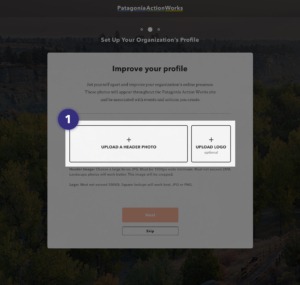
Onboarding allows you to upload a custom header and logo to personalize your profile. You can always edit or remove these photos in your dashboard.
- This image will be associated with your profile page, events and actions.
- You can also add your organization’s logo.
- Header images must be a hi-res JPG. Must be 1000px wide minimum. Must not exceed 2MB. Landscape photos will work best. The image will be cropped.
- Logos must not exceed 500KB. Square or circular lockups will work best. JPG or PNG.
- If you do not have a high-quality photo, you can choose one of ours as a placeholder.

-
We provide a set of placeholder images for you to use in place of custom imagery.